Cancellation rules for appointments
If a participant is unable to attend a specific session/appointment/lesson and has to cancel it, the session cancellation rules can be used to determine how to proceed in such cases. For example, if a participant cancels two days or a week in advance, they can be provided with an alternative session they are allows to attend.
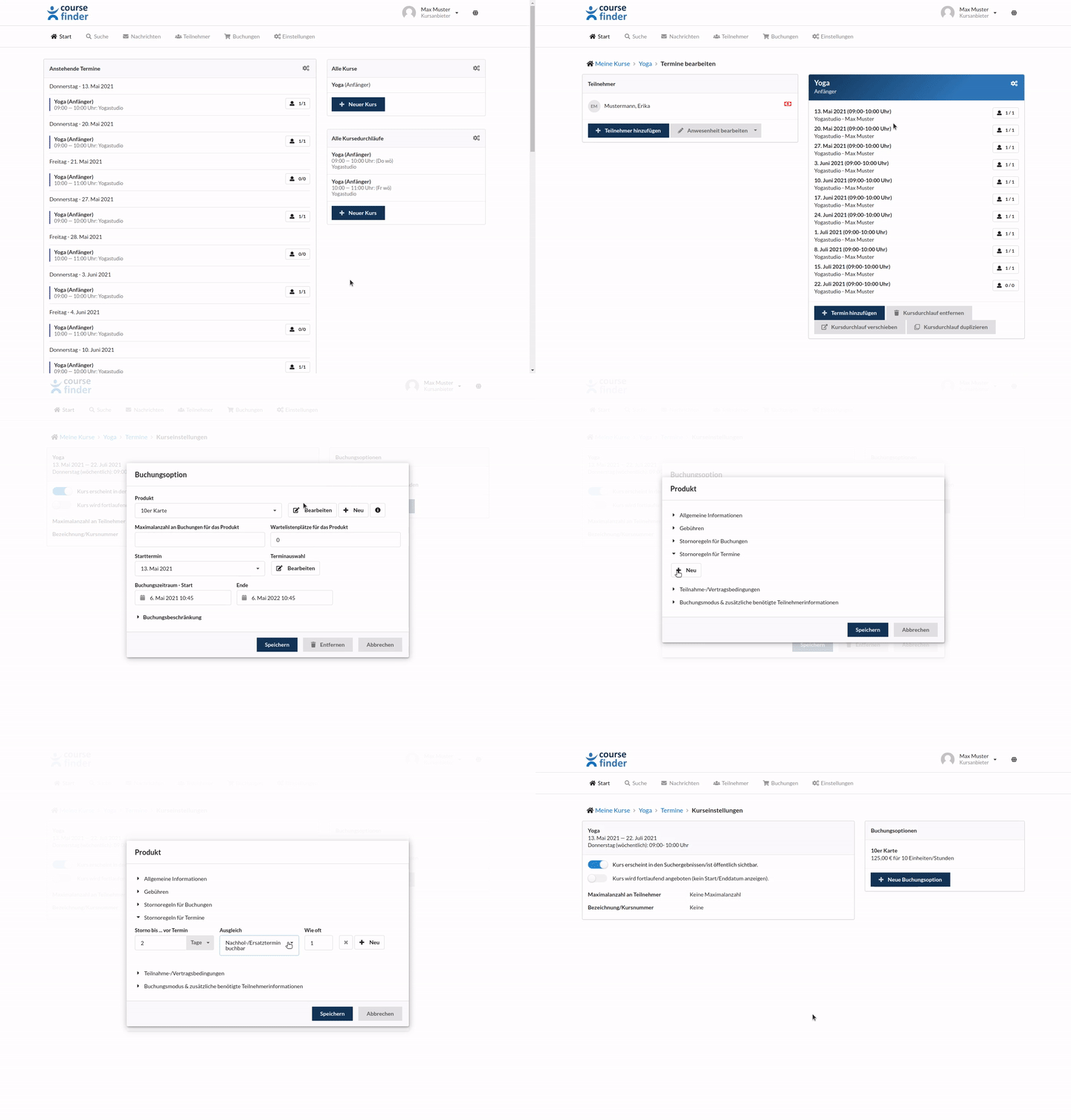
To determine what should happen if a participant is unable to attend an session/appointment/lesson, proceed as follows:
- First select the course for which you want to set or change the cancellation rules for sessions/appointments.
- Now select the course/appointment series.
- Click on Settings.
- Now select the product from the listed booking options for which you want to edit the cancellation rules.
- A window for editing the booking option will open.
- Click Edit next to the product name.
- Now edit the cancellation rule
- Save the changes by clicking Save